Batter’s Eye
See the pitch from the hitter’s perspective
Overview
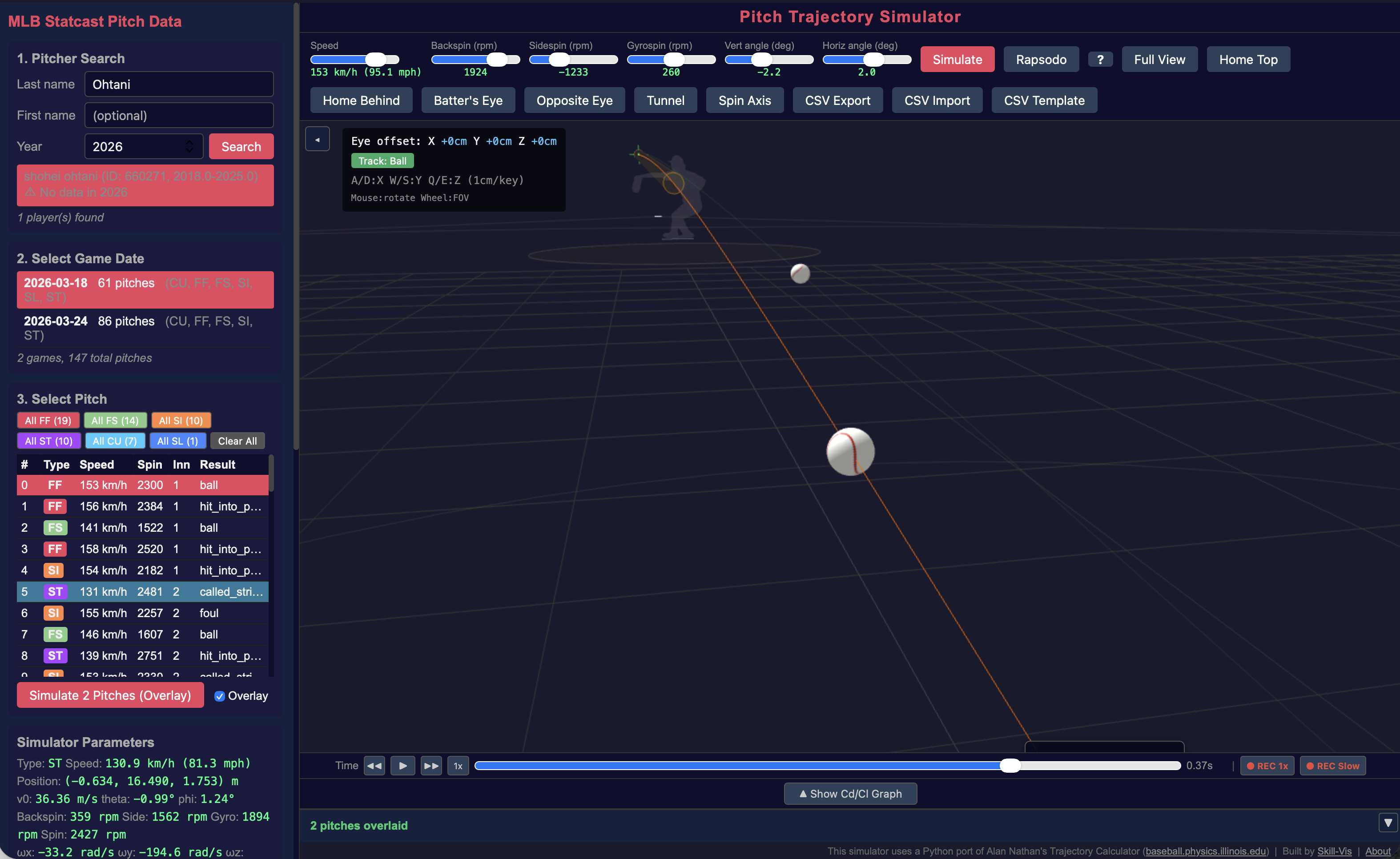
Batter’s Eye places the camera at the batter’s eye position in the batter’s box. You see the pitch coming toward you — just as the hitter does.
Activating Batter’s Eye
Click one of two buttons in the toolbar:
| Button | Description |
|---|---|
| Batter’s Eye | View from the batter’s box matching the current batter’s handedness |
| Opposite Eye | View from the opposite batter’s box |
The camera moves to the batter’s eye position. The 3D batter figure hides so it doesn’t block your view.
Camera Position
The eye position is determined by:
- X (lateral): ±0.65 m from center, based on batter handedness (R = right box, L = left box)
- Y (depth): 0.216 m behind home plate
- Z (height): When Statcast data is available, the height is set to sz_top + 0.3 m (strike zone top + 30 cm). Without Statcast data, it defaults to 1.45 m (batter model head height).
Controls in First-Person Mode
Looking Around
- Mouse drag — rotate your view (turn your head)
- Scroll wheel — adjust field of view (FOV)
Moving Position
You can fine-tune the eye position with keyboard controls:
| Key | Direction | Amount |
|---|---|---|
| W | Forward (toward pitcher) | 1 cm |
| S | Backward (toward catcher) | 1 cm |
| A | Left (toward 1st base) | 1 cm |
| D | Right (toward 3rd base) | 1 cm |
| E | Up | 1 cm |
| Q | Down | 1 cm |
The offset from the original position is displayed in the top-left overlay:
Eye offset: X +3cm Y -1cm Z +2cmBall Tracking
| Mode | Description |
|---|---|
| Track: Ball (default) | Camera automatically follows the ball during playback |
| Track: Pitcher | Camera stays fixed, looking toward the mound |
Click the toggle button in the overlay to switch.
Best Uses
Tunnel evaluation
Enable overlay, simulate a fastball and a changeup, then switch to Batter’s Eye. Play the animation and watch both balls approach. If you can’t tell them apart until the last moment, the tunnel is effective.
Pitch recognition training
Watch a pitch in Batter’s Eye mode at slow speed (use frame stepping with ← → keys). Notice when you can first see the difference between a fastball and a slider.
Video export
Record the Batter’s Eye view as MP4 with the REC Slow button. Share the video to show what the batter sees.
Enable the Spin Axis button while in Batter’s Eye. You’ll see the spin axis arrow on the approaching ball — this is the visual cue that elite hitters use to identify pitch type.